
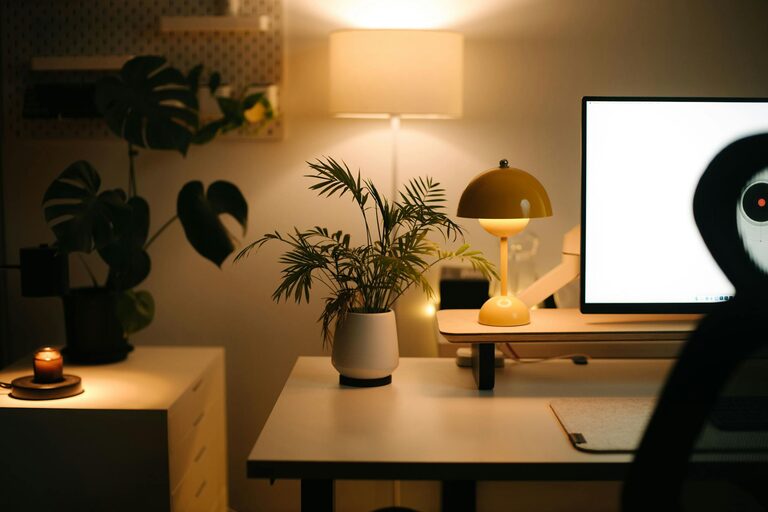
Creating a home workspace that feels both cosy and inviting can greatly enhance your productivity and well-being. Whether you are working from home occasionally or full-time, having a dedicated area that inspires focus and relaxation is essential. This post offers practical advice on how to design and organise your workspace, making it a place where you enjoy spending time.
Choose the Right Location
Selecting the perfect spot for your home workspace is the foundation of a productive environment.
– Consider natural light: Position your desk near a window if possible. Natural light helps reduce eye strain and boosts mood.
– Avoid distractions: Choose a quiet corner or room away from the busiest areas of your home.
– Space matters: Ensure there’s enough room for your equipment, storage, and comfortable movement.
Invest in Comfortable and Functional Furniture
Your comfort while working will affect your focus and health.
– Ergonomic chair: Choose a chair that supports your back and encourages good posture. Adjustable height and lumbar support are beneficial.
– Desk size: Pick a desk that comfortably fits your computer, writing area, and any other essentials without feeling cluttered.
– Add a footrest: This can improve circulation and reduce fatigue during long hours.
Focus on Lighting
Lighting can affect how cosy and inviting your workspace feels.
– Layered lighting: Combine ambient lighting with task lighting. A desk lamp with adjustable brightness is practical.
– Warm light bulbs: Use bulbs with a warmer hue to create a relaxed atmosphere.
– Avoid glare: Position screens and lights to reduce reflections on your monitor.
Personalise Your Workspace
Adding personal touches makes your workspace uniquely yours and more welcoming.
– Decorate with plants: Indoor plants improve air quality and add a calming natural touch.
– Use colours you love: Incorporate colours through accessories or wall art that are soothing and inspiring.
– Display meaningful items: Photos, art, or objects that motivate you can make your workspace more enjoyable.
Keep it Organised
A tidy space supports clear thinking and reduces stress.
– Storage solutions: Use shelves, drawers, and organisers to keep papers and supplies in order.
– Declutter regularly: Set aside time weekly to clear unnecessary items.
– Cable management: Use clips or sleeves to keep wires neat and avoid a messy look.
Add Comfort Elements
Comfort isn’t just about furniture; consider these small extras:
– Soft textiles: Cushions or a cosy throw can add warmth to your seat.
– Temperature control: A small fan or heater can help maintain a comfortable temperature.
– Aromatherapy: Pleasant scents from candles or diffusers can enhance relaxation.
Create Boundaries Between Work and Life
To maintain balance, your workspace should feel separate from leisure areas.
– Use screens or room dividers: This helps define your working area visually.
– Set specific work hours: Establishing a routine can improve focus during work time.
– Clear your workspace after work: Putting things away signals the end of your workday.
Incorporate Technology Thoughtfully
Technology should support your work without adding clutter or distractions.
– Invest in quality equipment: A good monitor, keyboard, and mouse can make your work easier.
– Reduce noise: Noise-cancelling headphones or white noise machines can help if your environment is noisy.
– Limit distractions: Manage notifications or use apps that encourage focus.
—
Designing a cosy and inviting home workspace is about balancing comfort, functionality, and personal style. Small changes can make a big difference in how you feel while working, helping you stay productive and positive. Start with these tips and tailor your space to support your unique working needs.